Program OS helps organizations manage innovation programs from application intake to final outcomes — all within a single workspace.
Whether you are running an accelerator, incubator, hackathon, grant program, fellowship, residency, or bootcamp, Program OS provides a structured workflow for managing startups, mentors, teams, resources, and program activities.
This article walks through the typical lifecycle of a program inside Program OS.
Step 1: Create Your Program OS Organization
Everything begins with a Program OS Organization.
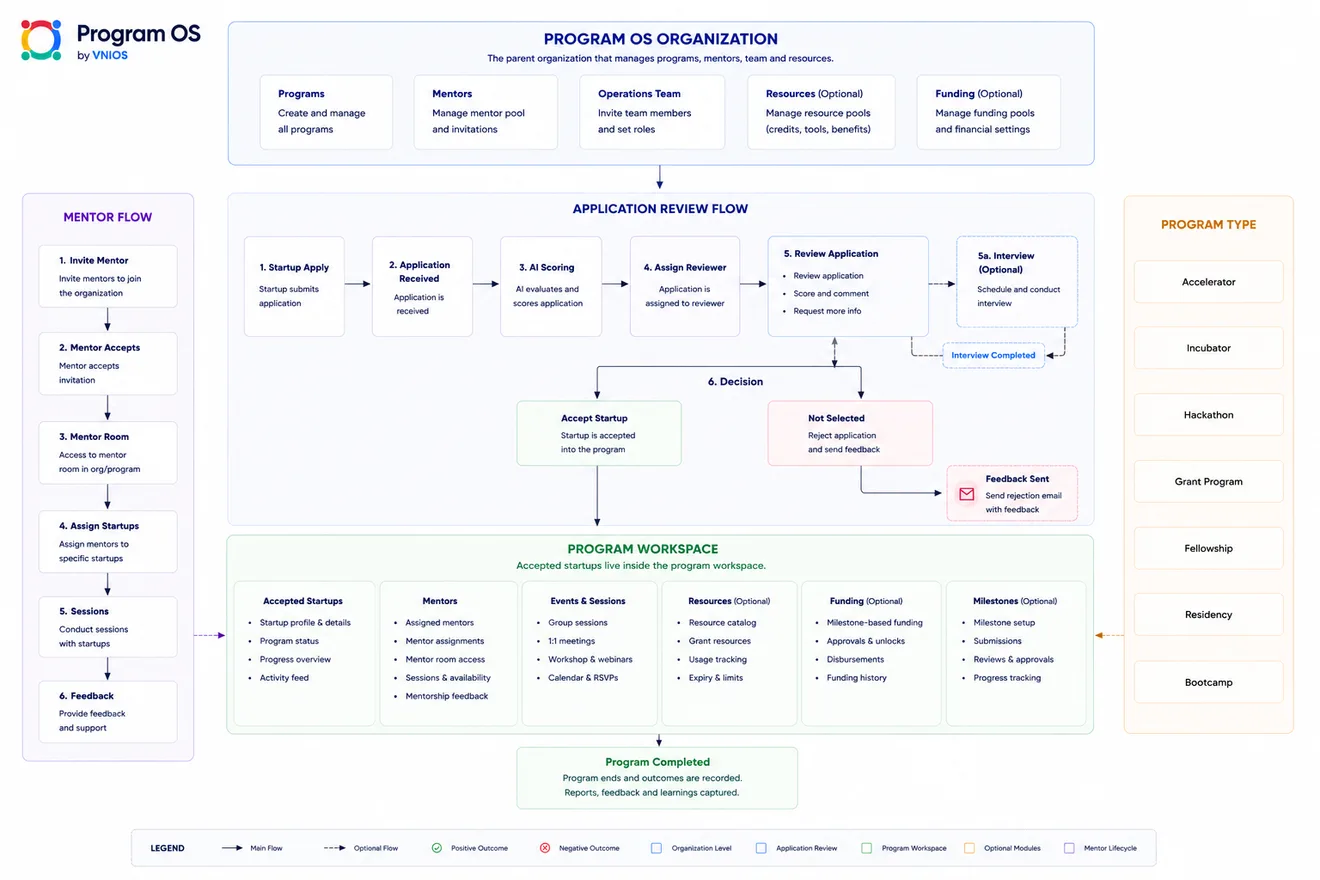
The organization acts as the parent workspace that manages:
- Programs
- Mentors
- Operations Team
- Resources (Optional)
- Funding (Optional)
Organizations can create and manage multiple programs from a single workspace while maintaining shared mentor pools, operational teams, and resource libraries.
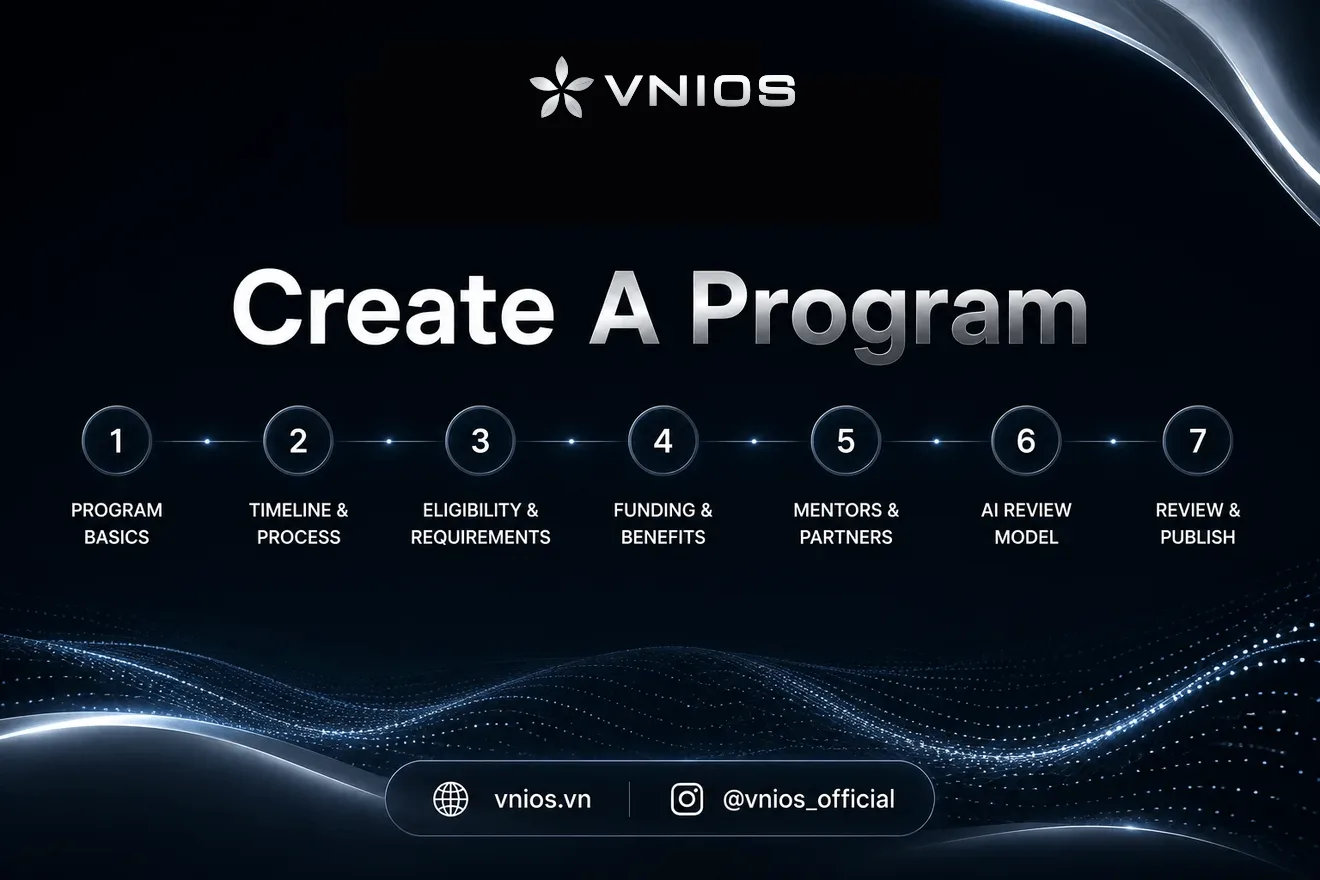
Step 2: Create a Program
Once the organization is set up, administrators can create individual programs.
Program OS supports multiple program types, including:
- Accelerator
- Incubator
- Hackathon
- Grant Program
- Fellowship
- Residency
- Bootcamp
Each program can have its own application process, reviewers, mentors, events, milestones, and resources.
Step 3: Collect Applications
Applicants submit their applications through the program application page.
Applications are automatically collected and organized within Program OS.
The operations team can monitor incoming submissions in real time without relying on spreadsheets or email workflows.
Step 4: Review Applications
Program OS provides a structured review workflow.
Applications move through several stages:
- Application Received
- AI Scoring
- Reviewer Assignment
- Review & Evaluation
- Interview (Optional)
- Final Decision
AI scoring can assist reviewers by providing preliminary analysis and recommendations, helping teams process larger applicant volumes more efficiently.
Organizations remain fully in control of the final decision-making process.
Step 5: Accept Startups Into The Program
Accepted applicants are automatically moved into the Program Workspace.
Rejected applicants can receive feedback and decision notifications directly through the platform.
This creates a clear transition between application management and program delivery.
Step 6: Assign Mentors
Mentors can be invited into the organization and assigned to specific programs.
The mentor workflow typically includes:
- Invite Mentor
- Mentor Acceptance
- Mentor Room Access
- Startup Assignment
- Sessions & Meetings
- Ongoing Feedback
This allows mentors to work directly with startups while keeping communication and progress tracking organized.
Step 7: Run Events, Sessions and Activities
Program Workspace serves as the operating hub of the program.
Teams can organize:
- Workshops
- Office Hours
- Group Sessions
- 1:1 Mentorship Meetings
- Webinars
- Demo Days
- Community Events
Participants can access schedules, updates and relevant information from a single workspace.
Step 8: Manage Resources and Funding
Organizations may optionally provide:
- Credits
- Tools
- Service Benefits
- Grants
- Funding Programs
- Partner Resources
Program OS helps track distribution, usage and eligibility while maintaining visibility across all participants.
Step 9: Track Milestones and Progress
Programs often require structured reporting and progress tracking.
Program OS allows organizations to define milestones and monitor:
- Deliverables
- Reviews
- Approvals
- Progress Updates
- Outcomes
This helps ensure startups stay aligned with program objectives while giving operators a clear view of overall program performance.
Step 10: Complete The Program
When the program concludes, outcomes remain recorded inside Program OS.
Organizations can review:
- Startup Progress
- Mentor Contributions
- Program Activities
- Milestone Completion
- Resource Usage
- Final Reports
This creates a long-term institutional record that can be referenced across future program cohorts.
One Workspace For The Entire Program Lifecycle
Traditionally, innovation programs rely on a combination of forms, spreadsheets, email threads, calendars, and disconnected tools.
Program OS brings these workflows together into a single operating system designed specifically for innovation programs.
From application review to mentorship, resource management, milestone tracking and reporting, Program OS provides organizations with the infrastructure needed to operate programs at scale.
Program OS is currently an upcoming feature on NDA-IOS and is being developed with ecosystem partners to support the next generation of innovation and startup programs.
 Written byNDA-IOS Team